Welcome to the all-new Infotainment.com!
Find parts for your car
Low Stock

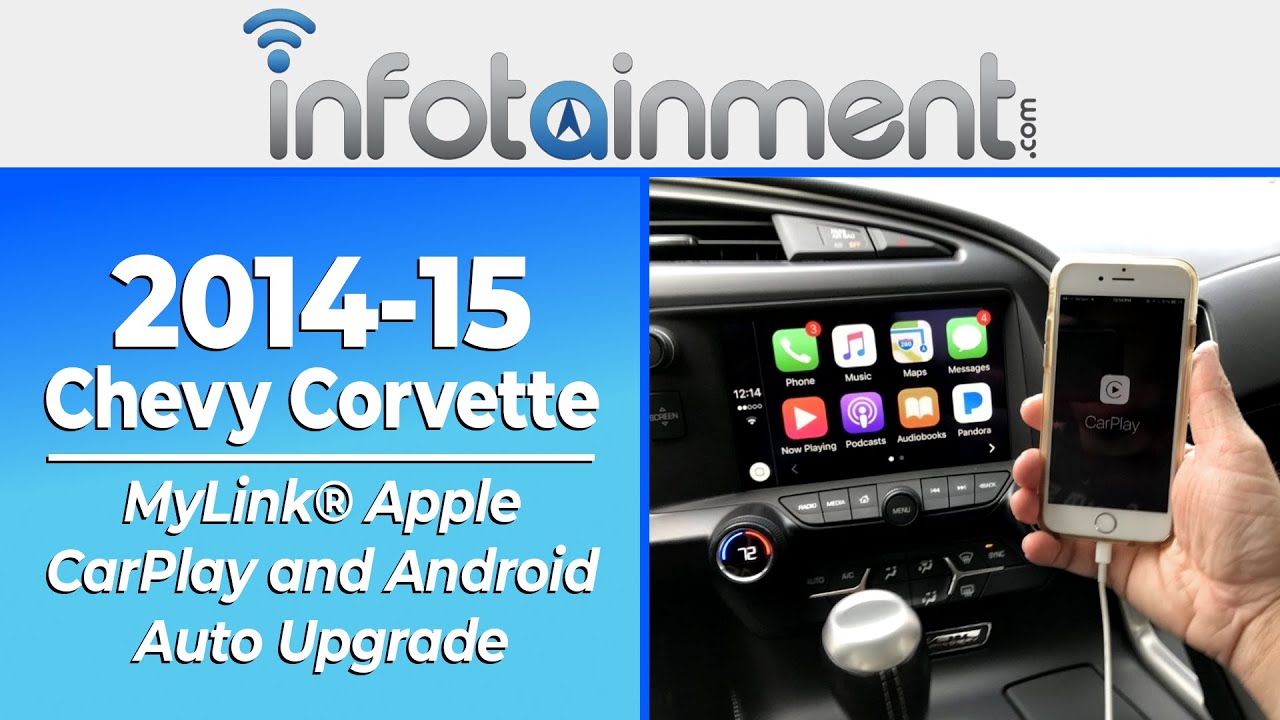
2014-2015 Chevrolet Corvette MyLink® Apple CarPlay and Android Auto Upgrade

$0.00
Add protection plan Recommended
Fast Shipping Options Fast Shipping Options
Expert Advice Expert Advice
30-Day Returns 30-Day Returns
1-Year Warranty 1-Year Warranty

Overview

Corvette Apple Carplay Upgrade

  • Our genuine Chevrolet® MyLink factory upgrades feature a 90-day guarantee and a hassle-free return policy. Extended warranties are also available!
  • Full Apple CarPlay ® & Android Auto ® capability.
  • Did you know Onstar® turn-by-turn navigation guidance costs up to $35 per month? Upgrade to factory Chevrolet® navigation today with no monthly recurring fees! Select the IO6 (UY4 for 2014) option code above to take advantage of genuine Chevrolet® MyLink GPS Navigation with no recurring monthly fees.
  • The IO6 (UY4 for 2014) system contains integrated mapping which provides full coverage for: USA, Puerto Rico, Virgin Islands, Mexico, and Canada.
  • Supports English, French, & Spanish languages
  • No-hassle, Plug & Play system. Pre-programmed to your specific vehicle. Please notate your vehicle's 17-digit VIN after adding to your cart. Eligible for our Compatibility Guarantee. 

Product installation

Installation of this product would be rated a 3 out of 5. 1 being extremely easy and 5 being extremely difficult. It is recommended prior to installing any automotive electronics that the negative battery terminal be disconnected. Remove and replace your vehicle's HMI module with the our pre-programmed replacement HMI module. (Refer to PIC 1A) For IO6 upgrades - Route the GPS antenna just beneath the dash top (under the windshield) and plug the blue connector into the newly installed HMI module. Remove and replace your vehicle's radio ACM module with our pre-programmed replacement ACM module. It will be located behind the carpet under the glovebox on the passenger side floorboard. (Refer to PIC 2A) Remove and replace your vehicle's USB hub with the one that's included with the kit (located in the armrest). Done!

If you need any assistance along the way please feel free to visit our YouTube page or contact our customer support department.

Vehicle Compatibility

Make Model Year
Chevrolet Corvette 2014-2015

Things to Know

Note - If you install this upgrade on a 2014 Corvette, you will forfeit Drive Modes.

Q: Will this upgrade include the latest factory navigation maps?
A: Not necessarily. GM has discontinued map updates for IO6 modules, with the final factory map update released in 2023. As a result, we can no longer guarantee that the most current maps will be included. For more information, please refer to the manufacturer's official information here.

Q: Will my factory MyLink® Bluetooth hands-free calling still work?
A: Yes. The system is pre-programmed to function with your vehicle's existing MyLink® Bluetooth hands-free calling feature. After installation, simply re-pair your phone to the upgraded system.

Q: Will my steering wheel audio controls continue to work?
A: Yes. The system is pre-programmed to retain your vehicle's existing steering wheel-mounted audio controls.

Q: Do the steering wheel controls work differently with Apple CarPlay® or Android Auto™?
A: Yes. When using Apple CarPlay®, your phone must be paired to the system via Bluetooth for the steering wheel controls to function. When using Android Auto™, you must control all features using the radio's physical buttons instead of the steering wheel controls.

Q: Will my factory backup camera still work?
A: Yes. The system is pre-programmed to function with your existing factory backup rear view camera.

Q: Will my factory SiriusXM® satellite radio continue to work?
A: Yes. The system is pre-programmed to function with your existing SiriusXM® satellite radio. After installation, simply contact SiriusXM® to transfer your subscription to the new radio.

Q: Will the steering wheel voice command button activate Siri® or Google Assistant™ when using Apple CarPlay® or Android Auto™?
A: Yes, in most cases. However, on 2014–2015 vehicles, the factory steering wheel voice command button will not activate Siri® or Google Assistant™ while your phone is connected and using Apple CarPlay® or Android Auto™.

Q: How can I use voice commands with Apple CarPlay® or Android Auto™ on 2014–2015 vehicles?
A: You can still use voice commands by:

  • Pressing the voice activation button on the touchscreen
  • Saying "Hey Siri" or "OK Google" for hands-free operation

When your phone is not connected and Apple CarPlay®/Android Auto™ is not active, the steering wheel controls will operate normally as they did from the factory.

Reviews and Q/A